
Saturday, 23rd December 2023
Cheat Sheet: Linux (on Raspberry Pi)
General & system status
One of the first things I do on almost every machine running Linux, is to install neofetch. If you ever need to find out specs of your machine, this is the way to go.
# Print out system information
neofetch

# Print free disk space
df -h
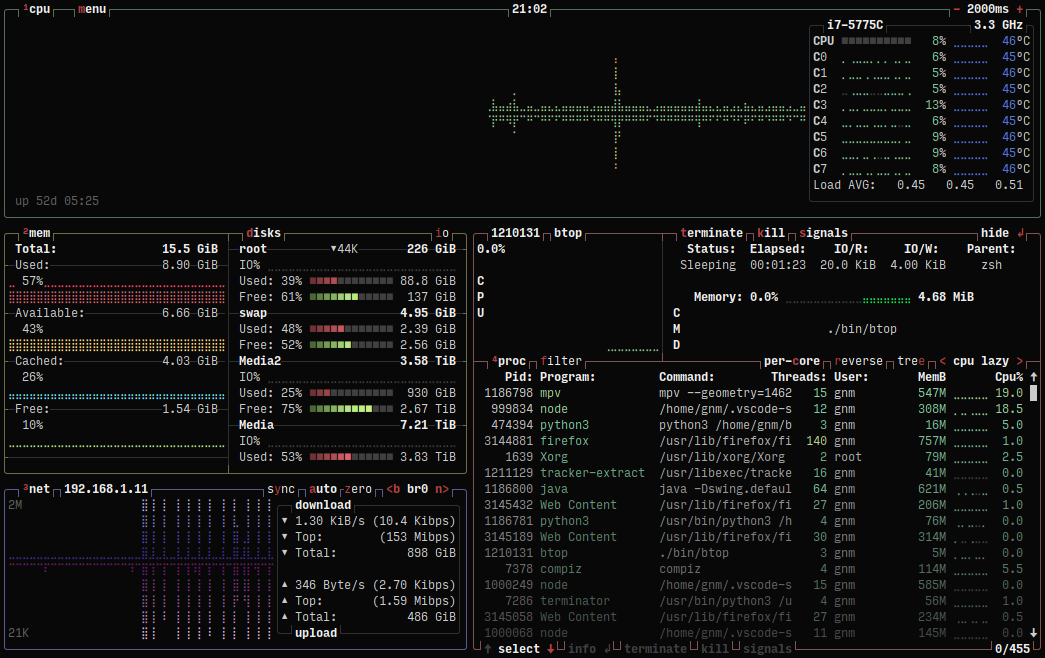
I also like to use a little tool called btop to check various metrics.
Attached Hardware
When it comes to attached hardware, the most common commands I use are the following:
# List all connected devices
lsblk

# List all connected devices with UUIDs
blkid
I recently learned that you can print out only USB and PCI devices with the following commands:
# List all USB devices
lsusb

# List all PCI devices
lspci
File system and permissions
When it comes to permissions in Linux I am a real dunce. That needs to change. Find out more about permissions in this article.
# Check permissions
ls -l
tmux
I discovered tmux, because after ssh-ing into my Raspberry Pi, I wanted to run commands, and do stuff while the commands where running. tmux allows you to split your window, created sessions and windows. The following commands are the ones I use most frequently. You can use tmux's sessions to run a process, detach from the session, and reattach to it later. If you want to learn more about tmux, check out the GitHub Wiki.
# split pane horizontally
ctrl + b & shit + %

# switch pane
ctrl + b & cursor

# create new window
ctrl + b & c

# detach from session
ctrl + b & d

# reattach to session mysession
mux a -t mysession
More Cheats to follow...